Description
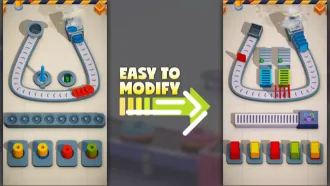
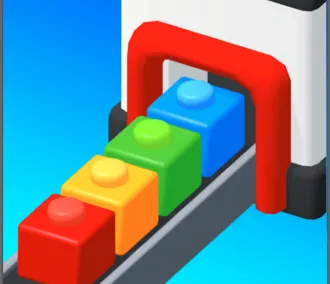
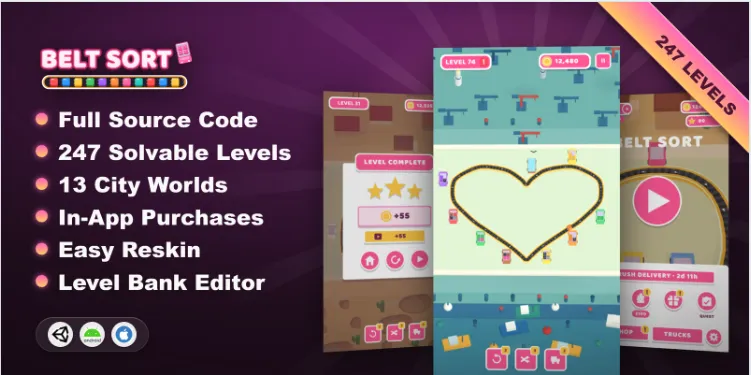
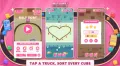
Belt Sort is a colorful and engaging puzzle game template developed with Unity. Players must unload colored cubes onto a conveyor belt and organize them into the correct matching trucks. With progressively challenging sorting mechanics, obstacles, and multiple gameplay levels, the project offers a foundation for building a casual puzzle game.
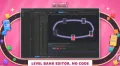
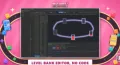
The template includes 247 levels across 13 cities, giving developers a structured progression system that can be customized and expanded. The included Level Bank editor helps manage, generate, and grade levels, making it easier to adjust the gameplay experience.
Whether you are developing a new mobile puzzle game or customizing an existing concept, this Unity source code package includes C# scripts, game assets, progression systems, and documentation to help you configure the project.
⭐ Key Features
- 247 Playable Levels: Explore a large collection of sorting puzzles with progressive mechanics and obstacles.
- 13 Cities: Organize level progression across multiple city-themed stages.
- Level Bank Editor: Generate, grade, configure, and manage game levels.
- Puzzle Boosters: Use Undo, Shuffle, and Extra Truck boosters to support gameplay.
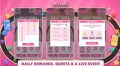
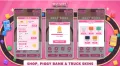
- Reward Systems: Includes coins, stars, daily rewards, and quests.
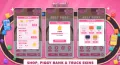
- Truck Customization: Customize the experience with truck skins.
- In-Game Events: Includes event systems to support additional gameplay activities.
- Advertising Integration: Configure advertising through your chosen supported provider.
- Unity IAP Integration: Configure in-app purchases for your monetization setup.
- Game Settings: Manage gameplay, levels, audio, and monetization settings.
- C# Source Code: Customize the gameplay and project systems.
- Android and iOS Documentation: Follow the included guides for platform setup and release builds.
📦 What You Get
- Unity project files and C# source code
- Game graphics and assets
- 247 game levels across 13 cities
- Level Bank editor
- Gameplay progression systems
- Boosters and reward systems
- Truck skins and event systems
- Advertising and Unity IAP integration
- English PDF documentation
- Android and iOS setup and release instructions
🛠️ Technical Requirements
- Unity Version: 6000.3.6f1
- Platforms: Android and iOS
- Programming Language: C#
- Dependencies: DOTween and the advertising SDK for your selected provider, installed according to the included guide
- Monetization: Requires your own advertising accounts, identifiers, and configured in-app purchase products when monetization is enabled
- Release Requirements: Your own signing credentials and relevant app store accounts
Important: The included GDPR dialog is not a Google User Messaging Platform (UMP) consent integration. You must configure an appropriate consent solution for your deployment.
📖 Installation Instructions
1. Read Document/First_Instruction.pdf and Document/Document.pdf.
2. Open the project using Unity 6000.3.6f1.
3. Install the dependencies specified in the documentation.
4. Configure gameplay, levels, audio, and monetization through Game Settings and the Level Bank editor.
5. Follow the reskinning guide to replace graphics, text, branding, app identifiers, and advertising identifiers.
6. Configure Android or iOS signing and follow the relevant release-build instructions.
7. Test the configured game on your target devices before publishing.
🚀 Who Is This Template For?
- Unity developers building casual puzzle games
- Indie game studios developing mobile games
- Developers interested in conveyor-belt sorting mechanics
- Game creators looking for an editable level-based puzzle project
- Developers planning to customize game graphics, levels, and progression
- Teams exploring advertising and in-app purchase monetization
💎 Why Choose Belt Sort?
Belt Sort combines colorful sorting gameplay with a substantial level collection and an integrated level-management editor. Its progression systems, boosters, rewards, customization options, and monetization integrations give developers multiple areas to configure and adapt.
The included documentation covers project setup, reskinning, platform signing, and release builds, helping developers understand the steps required to customize and prepare the game for deployment.
Belt Sort - Unity Sorting Puzzle Template
Belt Sort is a Unity puzzle game template where players unload colorful cubes onto a conveyor belt and sort them into matching trucks. Featuring 247 levels across 13 cities, progressive obstacles, engaging boosters, and a built-in Level Bank editor, this project provides a foundation for creating and customizing a colorful sorting puzzle game for Android and iOS.
$39.00
Product Details
- Categories:
- Unity Version: 2021.3+
- Files Included: .cs, .csproj, .dll, .prefab, .unityproj, .xml, build.settings
-
Platforms:
Android / iOS
- Last Update: Oct 13, 2026
Trust Features
-
Fully Tested & Optimized Code -
Project Demo Available -
Instant Download after purchase -
Developer Support Included