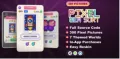


Description
🎮 Pixel Gem Sort Unity Puzzle Game Template
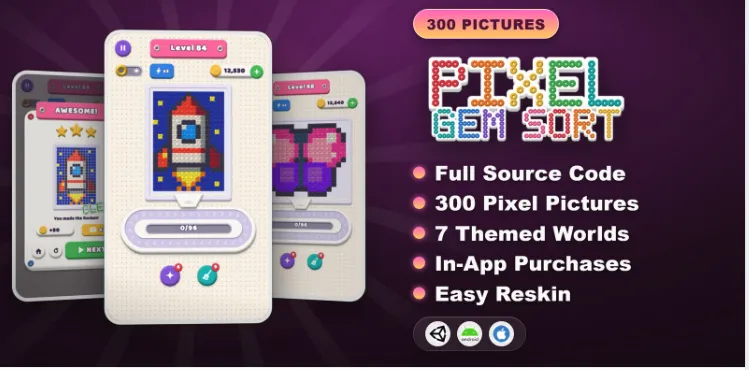
Pixel Gem Sort combines colorful bead-sorting mechanics with relaxing pixel-art picture completion. Each level begins with a scrambled picture made from colored beads. Players tap a bead to move its entire color group onto a conveyor belt, where the beads travel toward holes matching their colors.
The conveyor belt has limited capacity, so choosing the correct order of moves is essential. Players must manage the available space, sort the beads efficiently, and complete the picture before the belt becomes full and stuck.
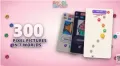
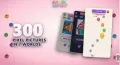
The game includes 300 handcrafted picture levels across 7 themed worlds, ranging from Sunny Garden to Deep Ocean. Each level has been tested by a bot and balanced before release, according to the supplied project description.
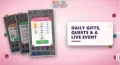
Beyond the core puzzle mechanics, Pixel Gem Sort includes collectible pictures, boosters, a world-based level map, daily rewards, quests, customization options, and a recurring live event. Its dedicated Level Composer window lets developers draw, import, and generate picture levels while expanding the campaign without writing gameplay code.
🧩 Key Gameplay Features
- Tap, Sort, and Complete: Tap a bead to send its entire color group onto the conveyor belt.
- Color-Matching Mechanics: Each bead travels toward a hole of the corresponding color.
- Conveyor Belt Management: Plan moves carefully to avoid filling and blocking the belt.
- 300 Handcrafted Levels: Explore a collection of picture-based sorting puzzles.
- 7 Themed Worlds: Progress through different environments, including Sunny Garden and Deep Ocean.
- Bot-Tested Levels: The supplied description states that levels were tested and balanced using a bot.
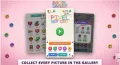
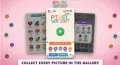
- Picture Collection Gallery: Unlock and collect completed pictures.
- Replay Rewards: Earn smaller rewards when replaying completed levels.
- Star Progression: Stars can increase through gameplay progression.
⚡ Boosters and Revive System
Pixel Gem Sort includes several tools to help players overcome difficult puzzles.
- Magic Wand: Places a bead directly where it belongs.
- Broom: Clears the conveyor belt.
- +12 Belt Slots: Provides additional belt capacity.
- Hold Plate Revive: Adds a hold plate to help recover from a difficult situation.
These mechanics give players additional ways to manage the conveyor belt and complete challenging levels.
🎨 Level Composer and Customization
The built-in Level Composer is one of the project's main development features.
- Draw Picture Levels: Create pixel-picture puzzles using the dedicated editor.
- Import Pictures: Bring picture assets into the level-creation workflow.
- Generate Levels: Create picture levels using the available generation tools.
- Build Campaign Worlds: Organize and expand levels across different worlds.
- Automatic Difficulty Tuning: Use the bot-based workflow to evaluate and tune level difficulty.
- Centralized Game Settings: Configure supported gameplay and monetization settings.
- Easy Reskinning: Change sprites, colors, fonts, audio, and the app icon without modifying core gameplay code for ordinary visual customization.
🎁 Progression and Live Operations
The template includes additional systems designed to support player retention and progression.
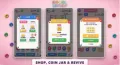
- Coins and coin packs
- World-based level map
- Star chests
- Magic Wand and Broom boosters
- Daily gift for 7 days
- Timed gifts
- Daily quests with a reward chest
- Coin jar
- Picture gallery
- Frame skins
- Day and night themes
- Recurring Bead Fair live event
- Bundles and Remove Ads purchase option
These systems can be configured through the project's settings and ScriptableObject-based data structure.
💰 Monetization Features
Pixel Gem Sort includes advertising and in-app purchase systems for developers who want to configure monetization.
- AdMob Integration: Banner, interstitial, and rewarded advertising placements.
- Unity Ads Integration: An additional advertising provider option.
- Unity IAP: Configurable in-app purchases.
- Coin Packs: Purchase options for in-game currency.
- Bundles: Configurable purchase bundles.
- Remove Ads: An option for disabling advertisements through a purchase.
- Coin Jar: Integrated into the game's economy.
- GDPR/UMP Consent: Consent functionality is listed among the included monetization features.
- Centralized Configuration: Manage supported settings through the Game Settings window.
Important: You must configure your own advertising accounts and ad unit IDs before ads can be served. In-app purchases require appropriate product configuration and store setup. Revenue is not guaranteed and depends on factors such as user activity, advertising demand, and provider terms.
📦 What You Get
- Complete Unity game project
- C# source code
- Game graphics and visual assets
- 300 handcrafted picture levels
- 7 themed worlds
- Conveyor belt sorting mechanics
- Level Composer editor window
- Level generation and difficulty-tuning tools
- Magic Wand and Broom boosters
- Additional belt slots and revive mechanics
- Level map and star chests
- Picture gallery and frame skins
- Daily rewards, timed gifts, and quests
- Coin jar and Bead Fair live event
- AdMob and Unity Ads integrations
- Unity IAP catalogue
- Remove Ads purchase option
- Modular code framework
- PDF documentation and troubleshooting guide
🛠️ Technical Requirements
- Unity Version: 6000.3.6f1
- Programming Language: C#
- Platforms: Android and iOS
- Performance Target: Designed for smooth 60 FPS gameplay on phones and tablets
- Architecture: Data-driven ScriptableObjects
- Core Systems: Save system, event bus, and object pooling
- Advertising: AdMob and Unity Ads, with the required SDK configuration
- Purchases: Unity IAP
- Customization: Sprites, colors, fonts, audio, app icon, levels, economy, and difficulty
📖 Installation Instructions
1. Import the package into Unity 6000.3.6f1.
2. Read the included PDF documentation before configuring the project.
3. Review the project structure and open the main game scene.
4. Customize the UI, text, logo, sprites, colors, fonts, and audio.
5. Use the Level Composer to create, import, or generate picture levels.
6. Configure the campaign, level progression, goals, economy, and difficulty.
7. Configure the AdMob or Unity Ads integration using your own ad unit IDs.
8. Set up Unity IAP products and the relevant store configuration.
9. Test gameplay, advertising, purchases, and consent behavior on target devices.
10. Configure the Android or iOS release settings and create the appropriate release build.
📚 Documentation Includes
- Package installation and project setup
- Building an Android APK or AAB
- Advertising SDK setup and ad unit configuration
- In-app purchase configuration
- Level creation and management
- Gameplay settings and economy configuration
- Difficulty tuning
- Reskinning and visual customization
- Release build instructions
- Troubleshooting and frequently asked questions
🚀 Who Is This Template For?
- Unity developers building casual sorting puzzle games
- Indie studios developing relaxing mobile puzzle games
- Developers interested in bead-craft and pixel-picture mechanics
- Game creators who want a built-in level creation tool
- Developers looking for a campaign with hundreds of puzzle levels
- Teams planning to customize in-game rewards and monetization
- Developers targeting Android and iOS platforms
💎 Why Choose Pixel Gem Sort?
Pixel Gem Sort combines picture completion, color sorting, and conveyor belt strategy in a distinctive puzzle format. Its 300 handcrafted levels and 7 themed worlds provide a substantial campaign, while the Level Composer helps developers create and expand their own picture-based puzzles.
Boosters, collectible pictures, daily rewards, frame skins, and live events add variety beyond the core gameplay. The modular architecture, configurable monetization systems, and reskinning workflow also provide flexibility for developers who want to adapt the project to their own game concept.
Pixel Gem Sort - Unity Game Template
Pixel Gem Sort is a colorful Unity puzzle game template featuring a cozy bead-craft style and pixel-art pictures made from colored beads. Players tap groups of matching beads to send them onto a conveyor belt, which carries each bead toward a hole of the corresponding color. With 300 handcrafted levels across 7 themed worlds, collectible pictures, boosters, daily rewards, and a built-in Level Composer, this template provides a customizable foundation for Android and iOS puzzle games.
$39.00
Product Details
- Categories:
- Unity Version: 2021.3+
- Files Included: .cs, .csproj, .dll, .prefab, .unityproj, .xml, build.settings
-
Platforms:
Android / iOS
- Last Update: Oct 13, 2026
Trust Features
-
Fully Tested & Optimized Code -
Project Demo Available -
Instant Download after purchase -
Developer Support Included